Ren'Py Transforms List!
Hey there! Have you ever thought, "Man, I would love to use transforms!" but you haven't because it's too difficult or you're too lazy to create them (like me...)?
Good news for you! I decided to make some pre-defined transforms, so now there's no excuse to NOT use them!
You can download the .ZIP or play the web version above to learn some of the transforms!
Note: There was a typo for-
ts_moveinX(dist, ts_speed=0.5, start_pos=config.screen_width+1200) in previous versions.
The correct version is start_pos=0-1200
Do you have to do anything? No! The code is correct, just the tutorial dialogue is wrong.
This is just a heads up.
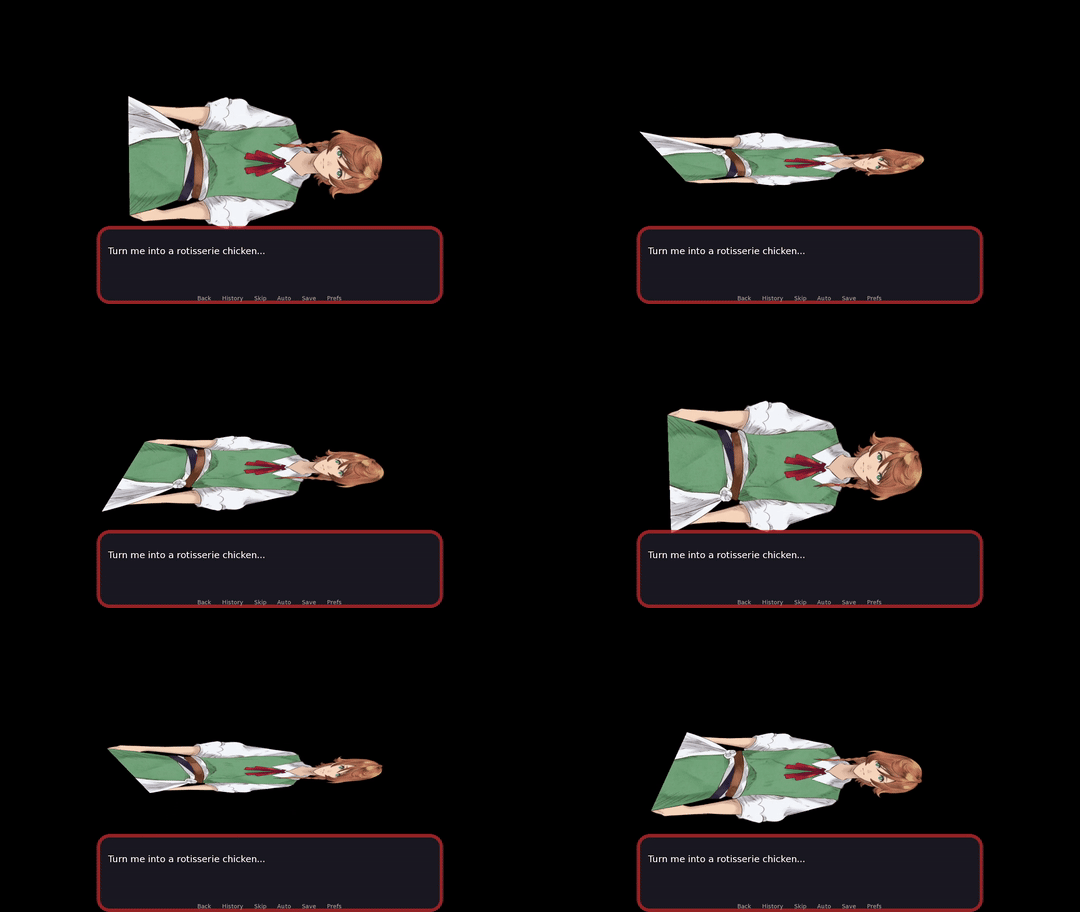
Features transforms for:
- MoveXY
- RotateXYZ
- Zoom in/out with auto height adjustment
- Funny actions like falling, jumping, shake, etc'
How to use:
- Download the tutorial_transforms.rpy
- Place into your game folder.
- You're ready to use it!
If you want the tutorials as well, download the game.
Important:
- Everything thing was tested using Ren'Py 8.3.4.2412.703. There might be incompatibility with older versions.
- Some transforms may break your sprite when players skip. Reset them accordingly.
Updates:
- (3/8/2025): Added 2 new "ts_movein" for screens. The screen will smoothly ease in and out when shown or hidden. Also added fade options for all "ts_movein" transforms.
Future transforms:
If there are any transforms you'd like me to add, feel free to comment below! Though, not a guarantee, I might add it in my free time.
Download
Comments
Log in with itch.io to leave a comment.
Hello! This is amazing work you've done, thanks for making it available for free ;; I'm really hoping I'm no bothering you/asking a dumb question with this but I can't seem to get your script to work unfortunately? I've c/c the tutorial_transitions.rpy into my game folder, I can go through it no problems when I open the project's files, but when I test it and reach an animation my game crashes and tells me the parameters you've used aren't defined... Have I missed another file I was supposed to c/c? Do I need to import anything into my main script? Thanks, and sorry again!
Heya! Thanks for using this!
Can you show me the code in where this happens? I tested it myself but have no trouble using it.
Sure, I took screens : https://imgur.com/a/ZpgNf5o the tutorial_transitions.rpy is untouched, I've put it in my game folder and haven't tempered with it at all
I've started using Renpy about a month ago and still learning beginner level stuff so it's probably something very basic that eludes me :I I really appreciate you taking time to help, thank you very much!
Ahaha, I see the problem.
So when I defined transform ts_acBounce(), it has 4 parameters (stuff in parenthesis): dist, ts_speed, pt, rt
If the parameters already have a default value (so if they = something), you don't have to rewrite it in the script unless you want to use a different values. Only dist requires a value since it doesn't equal anything. You can set dist to a default value if you want.
When you did at ts_acBounce(dist), Ren'Py is looking for a variable named dist, but that doesn't exist of course since you didn't define it.
What you can do instead is this:
show angel at ts_acBounce(insert the number for how high you want the bounce to be)
There are examples of how to use the transforms at the bottom of the rpy file!
Hope that clears things up!
Aaah ok everything makes sense ahah!! I feel silly, thank you so much for taking your time to explain, it does work now :'D wishing you the best and thanks again!!
thankyou!!!
Rotisserie chicken is diabolical behaviour
໒( • ͜ʖ • )७
these are really cool & useful!
thanks! (*´∀`*) ❤️
Thanks for these!
No problem! Hope ya enjoy em!